A product launch can come to a complete stop because of a single Amazon Seller Central error. The manufacturer has completed production, product images are ready, inventory is waiting for shipment, and the seller expects to publish the listing. Instead, Amazon rejects the product information with an unfamiliar error code.
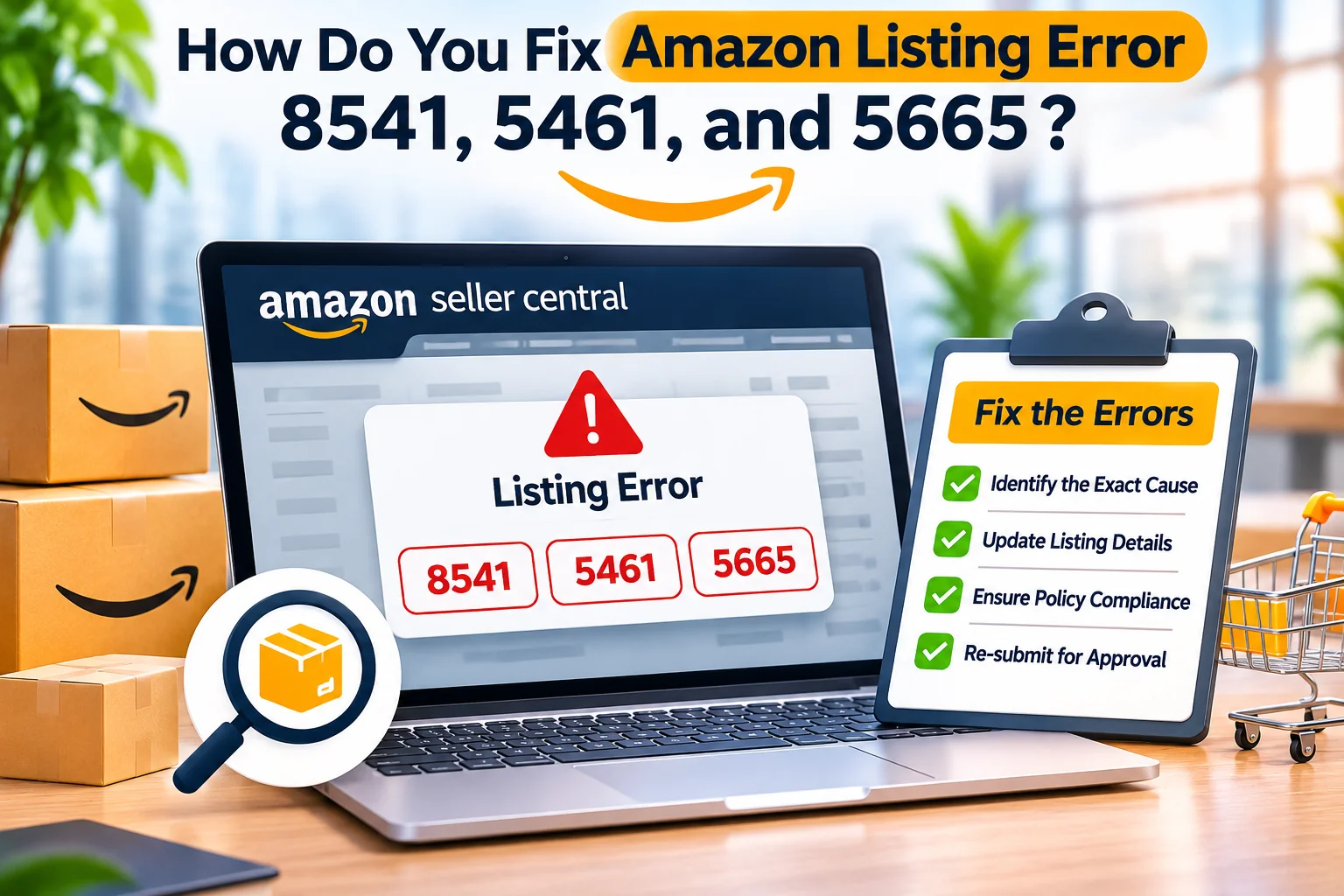
Three errors that regularly create this situation are Amazon listing errors 8541, 5461, and 5665. Although they can all prevent successful listing creation, they relate to different aspects of Amazon’s catalog management system. Treating them as the same problem often leads to repeated submissions, unnecessary listing changes, and delays that affect inventory planning and sales.
Amazon error 8541 occurs when submitted product information conflicts with an existing catalog match. Error 5461 indicates that a seller does not have permission to create a new ASIN under a particular brand. Error 5665 means the brand name entered during listing creation has not been approved by Amazon.
These distinctions matter because a barcode mismatch cannot be solved simply by requesting brand approval, and a missing brand authorization cannot be corrected by rewriting product descriptions. Each error requires the seller to identify the specific restriction and provide the appropriate information.
For private label businesses, the consequences can extend beyond the listing itself. Packaging may already contain a printed UPC, advertising launch dates may have been scheduled, and inventory may be moving toward an Amazon fulfillment center. An unresolved catalog issue can leave products unavailable for sale while storage, freight, and other expenses continue.
The same challenge affects established sellers introducing new product variations, authorized resellers creating offers, and brands expanding into Amazon USA, UAE, UK, Saudi Arabia, or other marketplaces.
Understanding how Amazon identifies products, manages brand permissions, and reviews catalog contributions is therefore an important part of professional Amazon listing creation and management.
This guide explains what errors 8541, 5461, and 5665 mean, why they occur, how to investigate them, and which actions sellers should take before contacting Amazon Support. It also explains how to prevent avoidable listing errors through accurate product identification, brand preparation, and organized catalog management.
Why Amazon Listing Errors 8541, 5461, and 5665 Occur
Amazon operates a shared product catalog in which an ASIN represents a specific product. Multiple eligible sellers may offer the same product through one detail page, but they must not use the same product identity to represent different items. This structure helps customers compare legitimate offers without navigating unnecessary duplicate product pages.
When a seller creates a listing, Amazon evaluates the product identifier, brand information, relevant attributes, existing catalog records, and account permissions. If submitted information is inconsistent with an existing product, or the seller lacks permission to perform the requested catalog action, Amazon may reject the submission.
The exact error message is often more important than the error number alone. It can identify the conflicting attribute, existing ASIN, affected brand, or authorization process needed to proceed.
For example, a seller attempting to create a new product page may receive error 8541 because its UPC is already connected to an existing ASIN. Another seller may receive error 5461 because Amazon does not permit that account to create new products under a particular brand. A new private label business may receive error 5665 because Amazon has not yet approved the proposed brand name.
All three situations interrupt listing creation, but they require fundamentally different decisions.
Product Identity Is Different From Seller Identity
One of the most important concepts in Amazon catalog management is the distinction between a product and the seller offering it. An ASIN identifies a product in Amazon’s catalog, while a SKU identifies an item within a seller’s inventory management system.
A seller can create its own SKU for an eligible existing ASIN without necessarily creating a new product detail page. However, a genuinely different product may require a separate ASIN and appropriate product identifier.
For example, a two-pack of adhesive wall hooks should not automatically share the same product identifier as a four-pack. The items contain different quantities, and the retail products may require separate identification according to applicable standards.
Likewise, a black product and a silver variation may require different identifiers even when their general design is similar.
Errors can occur when the submitted identifiers and attributes do not correctly distinguish these products.
A reliable catalog process therefore begins with confirming the exact physical item, its packaging configuration, and its assigned product identifier.
Brand Authorization Is Different From Product Matching
Brand permissions are another layer of Amazon’s catalog controls. A business may be authorized to sell an existing branded product but lack permission to create additional ASINs for that brand.
A private label seller may own its new brand but still need approval to use the brand name during listing creation. An established brand owner may have Brand Registry enrollment but encounter permission problems when the relevant selling account is not correctly associated.
These situations are not necessarily evidence of wrongdoing. They can arise because Amazon requires an additional authorization step or because account permissions have not been configured correctly.
The solution depends on the seller’s relationship with the brand, the status of the brand in Amazon’s systems, and whether the product already exists in the catalog.
Before submitting a new application, identify whether the issue concerns brand-name recognition, permission to create new ASINs, or a conflict with an existing product.
Why Repeated Listing Submissions Often Fail
Sellers sometimes respond to an error by changing the title, entering another brand name, choosing a different category, or creating a new SKU. These actions may temporarily change the error message without addressing the underlying issue.
If a UPC is already associated with a different product, creating another SKU with the same UPC does not correct the conflict. If Amazon requires authorization for a brand, repeatedly changing the product description does not establish that permission.
Similarly, creating duplicate product pages may violate Amazon’s catalog policies and make future management more difficult.
A better approach is to preserve the original error message, identify the relevant catalog or authorization issue, and gather the evidence needed for a specific correction.
This reduces unnecessary activity and creates a clearer record if the issue must be escalated.
How to Fix Amazon Error 8541 When Product Information Conflicts With the Catalog
Amazon error 8541 is commonly described as a single matching error. It generally occurs when the product identifier submitted by a seller matches an existing ASIN, but one or more attributes conflict with the information already stored in Amazon’s catalog.
Amazon’s Seller Central guidance identifies identifiers such as UPC, EAN, JAN, and ISBN as possible sources of this matching process. Conflicting information may involve brand name, title, color, size, manufacturer details, or another relevant attribute.
To resolve error 8541, verify the product identifier and the existing ASIN first. If they describe the same product, reconcile accurate catalog information. If the catalog match is incorrect, gather reliable evidence and request an appropriate correction through Amazon’s supported processes.
This error requires careful investigation because the wrong fix can cause a product to be associated with an inaccurate detail page.
Check Whether the Existing ASIN Represents Your Product
The first useful action is to read the complete error message. Amazon may identify the ASIN associated with the submitted product identifier and the specific attribute creating the conflict.
Open that ASIN in the relevant marketplace and examine the product details carefully. Compare its brand, model, size, color, quantity, material, and packaging with the item you intend to sell.
If the physical products are identical, the listing may need to be associated with the existing ASIN rather than creating a duplicate.
However, if the products are different, do not modify your product information to match an unrelated item simply to make the error disappear.
Consider a seller introducing a silver suction cup razor holder. The UPC entered during listing creation is already associated with a black version. Amazon may identify the color conflict and reject the new submission.
The seller must determine whether the UPC was incorrectly assigned, whether the existing catalog record is inaccurate, or whether the two variations require separate product identifiers.
Changing the silver product’s color to black when customers will receive silver would create inaccurate catalog information.
The correction should preserve the identity of the actual product.
Verify the UPC, EAN, or Other Product Identifier
Product identifiers are essential to accurate catalog matching. Before changing attributes, verify that the identifier belongs to the exact retail product.
For private label sellers, this may involve reviewing GS1 records, supplier documentation, packaging artwork, and the final product configuration.
A barcode purchased from an unreliable source may already be associated with a different product or business. In other cases, a supplier may accidentally reuse an identifier across multiple variations.
If the wrong UPC has been printed on the packaging, the problem may require operational correction rather than a simple Seller Central edit.
The seller should identify the correct identifier before sending inventory to Amazon.
For products eligible for a GTIN exemption, Amazon provides a separate process. However, a GTIN exemption should not be assumed to apply automatically, and it is not a mechanism for concealing an existing catalog mismatch.
Businesses developing multiple products can reduce this risk by maintaining a centralized register of SKU, GTIN, ASIN, brand, model, and variation information.
Reconcile Accurate Attributes Without Misrepresenting the Item
If the existing ASIN genuinely represents the same product, review the submitted attributes that conflict with Amazon’s record.
Some errors arise from differences in formatting or details that do not change the product identity. Others reflect significant disagreements about the product itself.
Amazon’s product matching guidance describes reconciling appropriate attribute information through the relevant listing workflow.
However, the seller must distinguish a harmless formatting issue from an incorrect specification.
For example, different capitalization of a manufacturer name may require a different response from an actual disagreement over the product’s capacity or package quantity.
Do not replace accurate information with false values simply because Amazon currently displays those values.
When the existing catalog record is incorrect, the appropriate approach is to provide evidence and request correction.
This protects customers and reduces the risk of future returns or complaints.
Correct an Incorrect Amazon Catalog Record
Amazon catalog pages can sometimes contain information that does not accurately describe the product. A seller may encounter error 8541 because the catalog record contains an incorrect attribute.
In this situation, collect supporting material showing the correct value. Depending on the issue, useful evidence may include manufacturer specifications, authentic product photographs, packaging images, product manuals, or legitimate identifier documentation.
For example, if the catalog lists a product as having a blue finish but the manufacturer’s documented retail product is green, the seller may need to demonstrate the correct color.
Submit a focused correction request through the applicable Seller Central workflow or Selling Partner Support.
Explain the current catalog value, the correct value, and the evidence supporting the requested change.
Avoid submitting unrelated documents or making repeated conflicting contributions while the issue is being reviewed.
Amazon determines whether the requested catalog update can be accepted.
When to Escalate Error 8541 to Seller Support
Seller Support becomes relevant when the normal reconciliation process does not resolve the problem or when the existing ASIN is incorrectly associated with the submitted product identifier.
A useful support request should identify the marketplace, SKU, product identifier, matched ASIN, conflicting attribute, and the exact message displayed by Amazon.
The explanation should establish whether the existing ASIN represents the same product or a different item.
If the products are different, provide evidence supporting the actual identity of your item.
If the catalog information is inaccurate, describe the correction requested and attach the relevant documents.
Clear evidence is more useful than simply stating that the system is wrong.
A seller should also preserve the case ID and previous correspondence so that subsequent follow-ups remain consistent.
For businesses managing large product catalogs, organized Amazon account management can help prevent unresolved catalog conflicts from becoming repeated operational problems.
How to Fix Amazon Error 5461 When You Cannot Create a New ASIN
Amazon error 5461 occurs when a seller attempts to create a new product detail page for a brand but does not have the necessary authorization.
The seller may be permitted to offer an existing product from that brand while being restricted from creating new ASINs.
This distinction is important for distributors, authorized resellers, brand owners, and agencies managing listings on behalf of clients.
The correct way to address error 5461 is to verify whether the product already exists in Amazon’s catalog, confirm the seller’s relationship with the brand, and request the required new-ASIN creation permission when appropriate.
Amazon’s official guidance also recognizes that brand owners may encounter this error when their Brand Registry account and selling account are not correctly associated.
Determine Whether a New ASIN Is Actually Required
Before requesting authorization, search Amazon’s catalog for the exact product.
Use the manufacturer, brand, model number, product identifier, and other distinguishing details.
If the same retail product already exists, adding an eligible offer to that ASIN may be more appropriate than creating another detail page.
For example, an authorized reseller may obtain inventory of a branded kitchen appliance that already has an established Amazon listing.
The seller usually does not need to create a second ASIN merely to sell the same product.
However, a genuinely new model or different retail configuration may require a new detail page.
The seller should determine the correct catalog treatment before applying for creation permission.
This prevents duplicate ASINs and reduces the chance of additional product matching errors.
Understand the Difference Between Brand Ownership and Reseller Authorization
Brand owners and resellers can have different permissions.
A brand owner may have trademark rights and access to Amazon Brand Registry. An authorized reseller may have permission to distribute or sell the brand’s products without owning the trademark.
Neither relationship should be misrepresented.
For example, a reseller may possess valid purchase invoices from an authorized distributor but still lack permission to create new product pages under the brand.
Amazon can apply additional catalog restrictions to protect brand identity and product information.
A seller should not assume that a supplier invoice automatically establishes new-ASIN creation rights.
Review the actual permission requested by Amazon and provide evidence relevant to that permission.
Check the Brand Registry and Seller Central Account Relationship
For an established brand, error 5461 can arise when the account creating listings is not correctly linked to the relevant Brand Registry permissions.
This can happen when a business manages different accounts, has multiple authorized users, or has recently adjusted brand roles.
Amazon specifically identifies the relationship between Brand Registry and Seller Central as a possible cause for legitimate brand owners encountering error 5461.
Confirm which account is enrolled in Brand Registry and which selling account is submitting the new listing.
Check the brand role assigned to the relevant account.
Do not assume that access granted to one user or marketplace automatically extends to all others.
If the seller is the legitimate brand owner but does not have the expected permissions, use Amazon’s supported process to investigate the association.
Creating another seller account is not an appropriate shortcut to resolve missing brand permissions.
Submit the Appropriate Authorization Application
Amazon may provide a link to a selling application or new-ASIN creation authorization process within the error message.
Follow that workflow rather than using an unrelated support category.
The application may request details about the brand, product, seller relationship, and supporting documentation.
For a brand owner, the relevant evidence may involve Brand Registry information and account association.
For an authorized seller, the requirements may differ.
The application should be completed truthfully and with documents that establish the relationship Amazon is evaluating.
A seller should not upload fabricated authorization letters, altered invoices, or misleading product photographs.
Amazon controls the approval decision and may request additional information.
Approval to create a new ASIN for one brand does not necessarily imply unrestricted catalog creation permissions for every brand.
What to Do When the Application Is Rejected
A rejected application should be reviewed against the reason provided by Amazon.
Possible issues may involve insufficient evidence, incorrect account permissions, incomplete information, or an inability to establish the requested authorization.
If the business is genuinely permitted to create products under the brand, gather the missing evidence and respond through the relevant application or support process.
If the seller is only authorized to sell existing products, additional brand permission may be necessary.
Do not change the brand name to another company’s name or submit a product as Generic simply to bypass the restriction.
The objective should be to establish the legitimate right to create the requested product page.
For established sellers, documenting brand permissions before new product launches can prevent error 5461 from delaying inventory and advertising plans.
When Does Error 5461 Require Additional Support?
If Amazon approves the application but the error continues, check whether the authorization has become available in the relevant selling account.
Amazon’s US guidance notes that approved permissions for this process may take up to 24 hours after the approval notification to become active.
This is guidance for the specific process, not a guarantee for every marketplace or case.
If the restriction persists after the applicable processing period, contact Seller Support with the brand name, affected account, SKU, approval reference, and remaining error message.
The support request should focus on the account’s new-ASIN creation authorization rather than unrelated listing content.
A clear distinction between brand approval and product creation permission makes troubleshooting more efficient.
How to Fix Amazon Error 5665 When Your Brand Name Is Not Approved
Amazon error 5665 commonly affects new private label sellers who have created a brand but have not yet obtained approval to use that name in Amazon’s catalog.
The product may already carry the intended branding, yet Amazon does not recognize the brand name during listing creation.
This can be confusing because the seller may believe that owning packaging artwork or registering a company automatically authorizes the brand within Amazon.
However, the brand-name approval process is separate from business registration and product listing creation.
To fix error 5665, follow Amazon’s unregistered-brand Catalog Authorization process or use the relevant Brand Registry route when eligible. The brand name must accurately match genuine branding permanently associated with the product or packaging.
Amazon explicitly documents an approval route for eligible unregistered brands, meaning a completed trademark registration is not universally required before beginning a private label listing.
Why Amazon Requires Brand Name Approval
Amazon uses brand names to organize product catalog information and help customers identify the products they are purchasing.
If sellers could freely attach any brand name to a new listing without appropriate controls, catalog information could become inaccurate or misleading.
For example, a seller should not be able to create an unrelated product under another company’s established brand.
Similarly, an item that is genuinely unbranded should not be presented as belonging to a brand that does not appear on the product or packaging.
Brand-name authorization helps Amazon evaluate whether a proposed catalog identity is supported by the item being listed.
However, approval through this process does not establish legal ownership of a trademark or automatically grant all Brand Registry benefits.
A business should distinguish permission to use an unregistered brand name from broader intellectual property protection.
Permanent Branding Is a Critical Requirement
Amazon’s guidance for unregistered branded products requires the brand name and logo to be permanently affixed to the product or packaging.
Depending on the item, this may involve printing or embossing during manufacturing.
Removable stickers are not accepted for the documented unregistered-brand approval process.
This requirement can create problems when sellers source ordinary unbranded products and add temporary branding only after manufacturing.
For example, a private label business may order household accessories from a factory and place removable labels on the packaging before listing them.
If Amazon requires evidence of permanent branding, those labels may not satisfy the approval requirements.
The safer approach is to plan the branding method before production and obtain authentic samples showing the final brand presentation.
This also helps ensure that product photography, packaging, and catalog information remain consistent.
Prepare Genuine Product and Packaging Evidence
When submitting a brand authorization application, sellers should follow the specific image and information requirements displayed by Amazon.
Clear photographs of the actual branded product or packaging are generally important.
The visible brand name should match the name entered during listing creation.
For example, a seller introducing a branded LED drawing board should use photographs showing the actual printed packaging or product branding.
A digitally edited mockup containing a logo that does not exist on the physical product is not appropriate evidence.
If the product is still being manufactured, arrange genuine branded samples and verify the final spelling before applying.
Inconsistent capitalization, spacing, or words can create avoidable discrepancies.
A carefully prepared application is more useful than repeated submissions with different versions of the brand name.
Request Catalog Authorization Through Seller Central
Amazon’s official seller guidance explains that sellers encountering error 5665 can follow the relevant application link during the Add Products process.
The Selling application for Catalog Authorization guides the seller through the information needed to request approval for an unregistered brand.
The exact interface can vary by marketplace and account.
Provide the correct brand name, genuine product information, and requested photographs.
Confirm that the brand appears on the product or packaging as required.
After submission, monitor the application status through the appropriate Seller Central tools.
If Amazon requests clarification, respond using the application process and provide additional evidence when necessary.
Once the name is approved, the seller may proceed with eligible listings using the authorized brand information.
Other requirements, including product identifiers, category approvals, and compliance documents, remain separate.
Can You Fix Error 5665 Without a Trademark?
Yes. Amazon’s published guidance recognizes that eligible sellers can request permission to use an unregistered brand name.
This allows some private label businesses to begin listing products before completing the trademark and Brand Registry process.
However, launching without a registered trademark should be a considered business decision.
A brand name may be available within Amazon’s approval process while still creating potential intellectual property concerns in the broader market.
For businesses investing in product development, packaging, advertising, and international expansion, trademark clearance is particularly important.
An Amazon brand approval is not a substitute for legal trademark analysis.
Businesses planning long-term private label operations may benefit from Amazon Brand Registry support alongside qualified trademark advice.
Why Listing a Branded Product as Generic Can Create Problems
Some sellers attempt to avoid error 5665 by selecting Generic in the Brand Name field.
This is inappropriate when the product genuinely belongs to an identifiable brand.
Amazon’s Generic Product policy requires generic listings to represent unbranded products.
A branded item should not be deliberately misclassified to bypass catalog authorization.
Amazon also states that an existing Generic product listing cannot simply be converted into a branded listing later.
Creating a branded version may require a new product detail page and associated catalog work.
This can be particularly costly when the seller originally intended to build long-term brand recognition.
The correct brand strategy should therefore be established before the first listing is published.
How Brand Registry Changes the Long-Term Strategy
Amazon Brand Registry provides eligible brand owners with additional brand-building and protection resources.
Its requirements include an eligible pending or registered trademark and appropriate branding evidence.
Available benefits can include brand protection tools, Brand Stores, analytics, and enhanced content capabilities, depending on the account and marketplace.
However, Brand Registry enrollment should not be confused with guaranteed search ranking improvements.
It provides access to tools rather than automatic sales performance.
For sellers launching a single product, unregistered-brand authorization may be relevant while the longer-term brand strategy is being developed.
For businesses planning multiple SKUs, international marketplaces, or substantial advertising investment, evaluating Brand Registry earlier may reduce future administrative complexity.
Amazon also warns that some listings originally created through unregistered-brand approval may require additional assistance to become associated with a subsequently enrolled brand.
How to Prevent Amazon Listing Errors and Build a Reliable Catalog Process
Resolving a listing error is useful, but preventing the same issue across future products is more valuable. A business with dozens of SKUs can lose substantial time when every product launch requires repeated catalog corrections.
A reliable process connects product research, supplier documentation, brand development, product identification, listing content, and Amazon permissions before inventory is committed.
This is particularly important for private label sellers, where the business controls the product packaging and catalog information.
Confirm Product Identity Before Ordering Inventory
Product research should not end with identifying demand and calculating projected margins.
The seller must also establish the exact retail configuration that will be manufactured and sold.
This includes brand, model, quantity, color, size, materials, packaging, and applicable identifiers.
For example, a seller launching three variations of a bathroom accessory should document the correct differences between each retail product.
If one version contains two black units, another contains two silver units, and a third contains one of each, the identifiers and listing information should reflect those configurations accurately.
These decisions should be finalized before printing packaging or submitting bulk listing files.
A product identity record can help suppliers, listing specialists, and logistics teams work from the same verified information.
Use Legitimate Product Identifiers
Product identifier problems can affect both new listings and existing catalog updates.
Where a GTIN is required, obtain the appropriate identifier from a reliable source and ensure it belongs to the actual product.
Amazon’s documentation recognizes GS1 as a source for legitimate product identification.
Sellers should verify whether different variations or retail packages require separate identifiers under the applicable standards.
Avoid purchasing questionable barcodes without confirming their origin or suitability.
A mismatched identifier can lead to error 8541, incorrect catalog associations, or additional verification requirements.
Products eligible for a GTIN exemption should follow Amazon’s separate approval process.
Neither Brand Registry nor an unregistered-brand approval automatically eliminates product identification requirements.
Prepare Brand Authorization Before Manufacturing Deadlines
Brand-related errors can be especially expensive when they appear shortly before the expected product launch.
A business may already have completed packaging production and scheduled freight before discovering that its brand name requires authorization.
To reduce this risk, determine the intended brand strategy early.
Check trademark availability and relevant brand ownership considerations.
Confirm how the name will appear on the actual product or packaging.
Review whether the business will pursue unregistered-brand approval or Brand Registry enrollment.
If the product is associated with an established brand, verify who has permission to create new ASINs.
This preparation can help prevent errors 5461 and 5665 from disrupting launch schedules.
Keep Listing Content Consistent With Manufacturer Records
Amazon product listings should communicate the item accurately.
Every important specification should be supported by reliable product information.
For example, a rechargeable digital microscope listing should use verified screen dimensions, battery specifications, charging details, and package contents.
A memory game should accurately describe the included cards, game components, and physical dimensions.
Incorrect information can create customer confusion and make catalog disputes more difficult to resolve.
Consistent source documentation helps different team members avoid entering conflicting values.
The product specification sheet should remain the primary reference when preparing titles, bullets, attributes, packaging, and visual content.
Where applicable, professional Amazon product photography should represent the actual item rather than an altered or idealized version.
Review Catalog Uploads Before Submission
Businesses managing multiple products often use bulk listing templates or other supported catalog tools.
These methods can improve efficiency, but one incorrect field can affect several SKUs.
Before submission, review brand names, product identifiers, variation relationships, item types, required attributes, and product titles.
After processing, examine the upload report and identify the specific errors associated with rejected rows.
Do not repeatedly upload the same unchanged file.
For example, if several rows receive error 8541, review their product identifiers and catalog matches before resubmitting.
If error 5461 affects products under a particular brand, investigate the account’s authorization rather than changing unrelated attributes across the file.
Organized error analysis can prevent unnecessary catalog changes.
Maintain Documentation for Every Product
A seller should be able to identify the source of the information used to create each listing.
Relevant records may include manufacturing specifications, supplier agreements, commercial invoices, product photographs, legitimate identifier records, packaging files, and applicable compliance documentation.
For branded products, maintain records showing the approved brand name and relevant authorization.
These documents can help resolve product matching conflicts and account permission questions.
They may also support other marketplace processes, such as product compliance reviews or inventory investigations.
However, documentation must be genuine and appropriate to the issue.
An invoice does not automatically prove trademark ownership, and a packaging mockup does not automatically demonstrate permanent physical branding.
Maintain a clear distinction between each type of evidence.
Know When a Technical Error Requires Professional Support
Not every catalog problem can be resolved through ordinary listing edits.
Some cases involve brand ownership, incorrect shared catalog information, or permissions controlled by Amazon.
A seller may need support from a qualified brand representative, manufacturer, trademark professional, or Amazon catalog specialist.
For example, error 8541 involving an incorrectly associated product identifier may require evidence from the relevant product owner or identifier record.
Error 5461 may require correction of brand roles or an application for new-ASIN creation.
Error 5665 may require genuine branded samples and an approved catalog authorization request.
A professional support process begins by identifying the actual problem rather than promising that every error can be removed immediately.
Final catalog and authorization decisions remain with Amazon.
Connect Catalog Accuracy With Amazon SEO and Advertising
Listing approval is the beginning of product commercialization, not the end.
Once the product is correctly represented in Amazon’s catalog, the seller still needs to attract relevant customers and generate profitable sales.
This involves keyword research, product photography, informative listing copy, pricing, inventory availability, and appropriate advertising.
For example, a newly approved product may remain difficult to discover if its title and attributes fail to communicate relevant customer search intent.
Likewise, an effective advertising campaign may generate clicks without sufficient purchases if the detail page contains incomplete information.
Catalog accuracy should therefore be connected with Amazon content optimization and marketplace performance analysis.
The objective is to build product pages that are both technically valid and commercially useful.
How iNNOVEX Enterprises Supports Amazon Listing Error Resolution
Amazon catalog errors can involve several connected activities, including product identification, brand approval, listing creation, and account permissions.
At iNNOVEX Enterprises, an Amazon SPN agency, we support sellers with relevant catalog troubleshooting, Seller Central workflows, listing development, and brand-related marketplace services.
For error 8541, the focus may involve reviewing conflicting ASIN information, identifiers, and product attributes.
For error 5461, support can involve understanding the seller’s brand relationship and organizing the appropriate authorization process.
For error 5665, the work may involve preparing consistent brand information and genuine product evidence for Amazon’s unregistered-brand approval process.
These services can be connected with product sourcing, packaging preparation, Amazon FBA setup, content development, and ongoing account management.
This coordinated approach is particularly valuable for businesses introducing multiple private label products or expanding into additional marketplaces.
However, support services do not replace Amazon’s approval process, and no provider can guarantee that every catalog request will be accepted.
Frequently Asked Questions About Amazon Errors 8541, 5461, and 5665
What does Amazon error 8541 mean?
Error 8541 generally means that the submitted product identifier matches an existing Amazon ASIN, but one or more attributes conflict with the catalog record. The seller should verify the identifier and determine whether the existing ASIN represents the same physical product.
How do I resolve Amazon error 8541?
Review the matched ASIN and conflicting fields. Reconcile accurate information when the product is identical. If the catalog record is wrong or the identifier is associated incorrectly, gather supporting documentation and request the appropriate correction.
What does Amazon error 5461 mean?
Error 5461 indicates that the seller does not have permission to create a new ASIN under the specified brand. The appropriate response depends on the seller’s relationship with the brand and the relevant account permissions.
Can a registered brand owner receive error 5461?
Yes. Amazon recognizes that legitimate brand owners may encounter this error when their Brand Registry account and selling account are not correctly associated. The seller should verify the relevant brand roles and permissions.
What does Amazon error 5665 mean?
Error 5665 generally appears when Amazon has not approved the brand name entered during product listing creation. Eligible sellers can use the relevant catalog authorization process to request permission to list products under an unregistered brand.
Can I fix error 5665 without a registered trademark?
Yes. Amazon provides an unregistered-brand approval route for eligible sellers. However, the brand must meet the applicable requirements, including genuine permanent branding on the product or packaging.
Does Amazon accept removable stickers for brand approval?
Amazon’s published guidance states that removable stickers do not satisfy the permanent branding requirement for the unregistered-brand process. Sellers should follow the exact evidence requirements shown during their application.
Are Amazon errors 5461 and 5665 the same?
No. Error 5461 concerns permission to create new ASINs under a brand. Error 5665 concerns approval of the brand name itself. A seller should follow the specific application relevant to the displayed error.
Can changing a product’s UPC resolve Amazon error 8541?
Only when the original identifier was incorrect and the replacement is legitimately assigned to the actual product. Sellers should never use an unrelated UPC simply to bypass Amazon’s catalog matching controls.
Can an Amazon agency help resolve listing errors?
An experienced Amazon service provider can help investigate catalog conflicts, organize relevant documentation, prepare authorization applications, and coordinate appropriate support cases. Amazon makes the final decisions about listing approval and catalog changes.
Conclusion: Fix the Underlying Catalog Problem Before Relaunching
Amazon listing errors 8541, 5461, and 5665 can delay product launches, but each error points toward a different part of Amazon’s catalog system.
Error 8541 requires accurate product matching and attribute reconciliation. Error 5461 requires the correct permission to create a new ASIN under a brand. Error 5665 requires approval to use a proposed brand name.
The most effective resolution begins with understanding the exact error message and establishing which information or permission is missing.
For product matching conflicts, verify the assigned identifier and physical product identity. For brand creation restrictions, review account roles and seller authorization. For unregistered-brand approval, prepare accurate brand details and genuine product evidence.
Avoid shortcuts that create inaccurate listings, duplicate ASINs, or misleading brand information. These approaches may produce additional problems and can damage the reliability of the product catalog.
For Amazon businesses, the wider objective is to create an organized launch process in which sourcing, product identification, branding, content, and account permissions are confirmed before inventory and advertising commitments are made.
As an Amazon SPN agency, iNNOVEX Enterprises supports sellers with catalog troubleshooting, product listing creation, brand authorization workflows, Amazon SEO, FBA coordination, and ongoing marketplace management.
If errors 8541, 5461, or 5665 are preventing your product from going live, the next step is to review the specific error, verify the supporting information, and follow the appropriate Amazon authorization or catalog correction process.
Visit iNNOVEX Enterprises to discuss professional Amazon listing troubleshooting and marketplace support.