
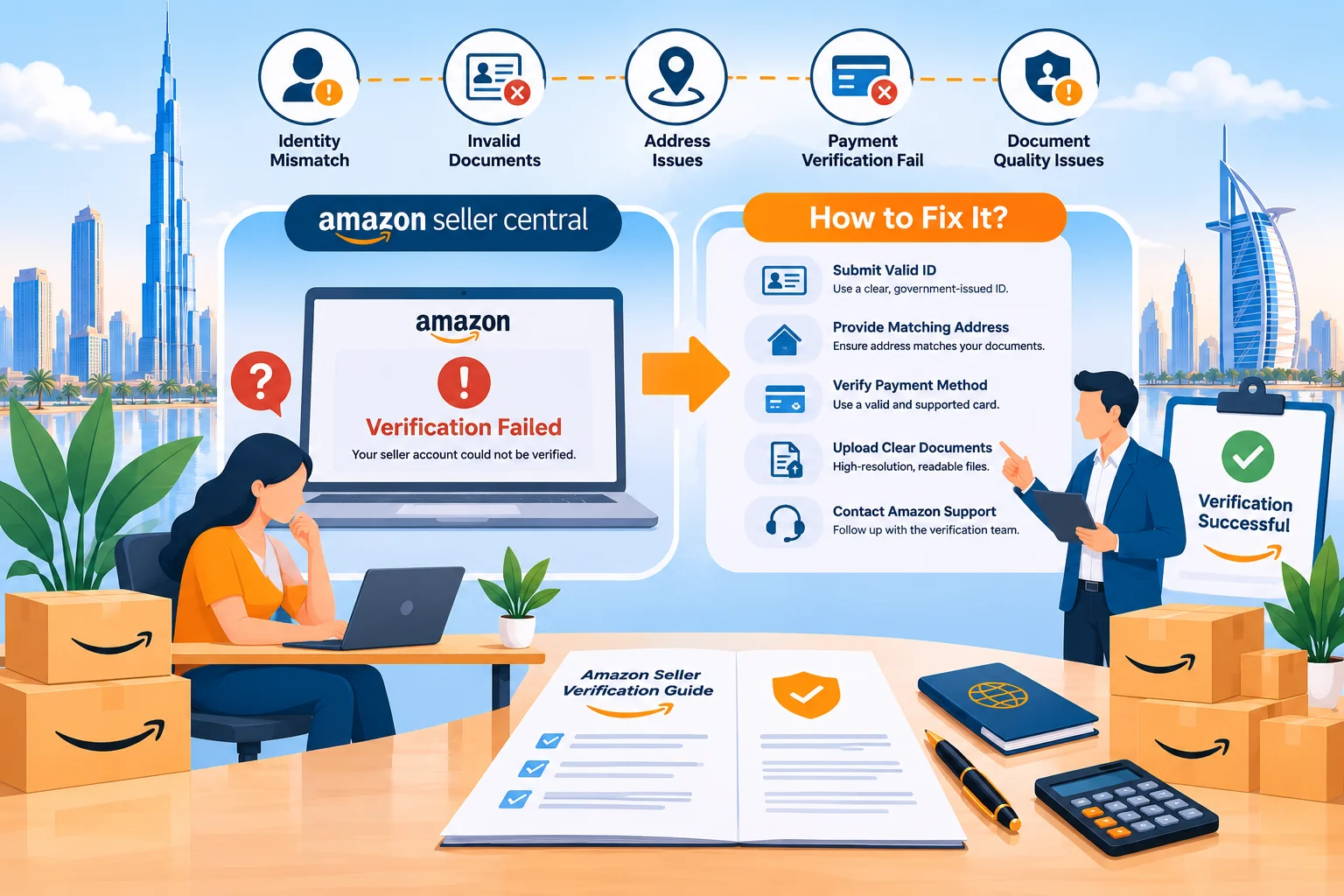
Creating an Amazon seller account is an important step toward starting an eCommerce business. However, many entrepreneurs encounter an unexpected problem during registration: Amazon seller account verification failed.
You may have uploaded your passport, business license, bank statement, and other documents, but Amazon still rejects your application or requests additional information.
For sellers planning to launch on Amazon UAE, USA, UK, or other marketplaces, these verification problems can delay product listings, inventory shipments, and business operations.
The good news is that some verification failures can be resolved by identifying the issue, correcting account information, and submitting documents that satisfy Amazon’s requirements.
In this guide, we explain why Amazon seller account verification fails, how to fix rejected verification documents, and what to do if your Amazon seller account remains inactive in 2026.
Why Does Amazon Seller Account Verification Fail?
Amazon seller account verification commonly fails because the submitted documents are invalid, unclear, incomplete, outdated, or inconsistent with the information entered in Seller Central.
Verification may also remain incomplete when Amazon requires additional identity checks, business information, or a video verification appointment.
Amazon reviews seller information to verify the identity of the account’s responsible individual and relevant business details.
The exact process depends on the seller’s location, business structure, and marketplace.
A verification failure does not always mean the seller has violated Amazon policies. Sometimes, the issue involves documentation or information that cannot be sufficiently confirmed.
However, sellers should never assume that every rejection is a simple technical error. Some account decisions involve broader eligibility, identity, or policy concerns that require a different resolution process.
What Are the Most Common Reasons Amazon Rejects Seller Verification?
Understanding the reason for rejection is the first step toward correcting your Amazon seller account.
1. Business Name Does Not Match Registration Documents
One common issue occurs when the business name entered in Amazon Seller Central differs from the registered legal name.
For example, a company’s commercial license may identify the business as ABC Trading LLC, while the seller account is registered using only ABC Trading.
Amazon may require the legal business information to match the submitted documents.
How to fix it: Compare your registered company name, legal entity type, and business registration number with the information in Seller Central.
Use the legal name shown in your official registration records. Do not replace it with a brand name or storefront name unless that field specifically requests one.
If your company name has officially changed, follow Amazon’s process for updating the business information and provide supporting documentation where requested.
2. Identity Documents Are Expired or Unclear
Amazon may request a government-issued identity document, such as a passport or accepted national identity card.
Documents can be rejected when they have expired, are difficult to read, or do not meet the requirements shown during registration.
Poor lighting, reflections, cropped edges, and blurry photographs can prevent successful document verification.
How to fix it: Use a valid government-issued identity document accepted for your verification process.
Capture a clear color image displaying the complete document and all required information.
Ensure the document is authentic, unaltered, and not obstructed.
3. Business Address Does Not Match Supporting Documents
Address mismatches are another reason Amazon verification can be unsuccessful.
For instance, the address listed in Seller Central might differ from the address appearing on the supporting bank statement or utility bill.
Differences in building numbers, street details, company names, or other required information can result in additional verification requests.
How to fix it: Check the exact address information Amazon requests and compare it with your documents.
Correct genuine registration errors through the appropriate account settings where permitted.
If an address variation is legitimate, provide supporting documentation or clarification through the official process.
Never alter a financial statement or utility bill simply to make the address match.
4. Bank Statements Do Not Meet Amazon Requirements
Amazon may request bank or other accepted financial statements to verify identity, business information, or payment arrangements.
A statement can be rejected if essential details are missing, such as the account holder’s name, address, issuing institution, or issue date.
Statements from unsupported financial providers may also be rejected.
How to fix it: Obtain an authentic statement directly from your bank or an accepted payment provider.
Confirm that the document displays all information required by your specific verification notice.
Check the permitted issue-date window carefully. Some Amazon verification processes specify documents dated within 180 days, while other requests can require more recent records.
Do not assume that one document-age rule applies to every verification process.
5. Incorrect Business Type During Registration
Amazon requests information about the seller’s business type and registration structure.
Problems may arise when the chosen classification does not accurately reflect the legal status of the business.
For example, an incorporated company should not be represented as an unincorporated individual business simply to avoid submitting company documentation.
How to fix it: Select the appropriate business type based on your actual legal structure.
If the information has already been submitted incorrectly, review the available correction options in Seller Central or contact Amazon through the relevant support route.
6. Video Identity Verification Is Incomplete
Some sellers must complete an additional identity check involving a face photograph, identity document photograph, or video call.
Verification can remain incomplete if the seller does not finish the requested process or Amazon cannot confirm the required information.
How to fix it: Follow the instructions presented in your Seller Central account.
Use the original documents requested for the specific verification appointment.
If you are asked to attend a video call, ensure the authorized person participates and has the required documents available.
Avoid using another individual to impersonate the registered account holder.
7. Business License Issues
For businesses operating in the UAE, Amazon requires an appropriate commercial license.
An expired license, inconsistent business information, or missing documentation may create account verification difficulties.
How to fix it: Confirm that your UAE business license is valid and accurately reflects your registered company.
Check whether your licensed activities support your intended commercial operations.
If additional documentation is requested, upload the appropriate official records through Seller Central.
What Documents Are Required for Amazon Seller Account Verification?
Amazon’s document requirements vary by marketplace, business type, account holder, and verification stage.
The documents below are commonly relevant during seller registration and identity verification.
| Document | Purpose |
|---|---|
| Passport or accepted government ID | Verifies the identity of the registered individual or authorized representative. |
| Business license or registration | Supports legal business identity and registration details where applicable. |
| Bank statement | May support account holder, financial, or address verification. |
| Utility bill or accepted address proof | Verifies the residential or business address when requested. |
| Bank account information | Used for eligible Amazon seller payment disbursements. |
| Additional ownership or authorization records | May identify beneficial owners or confirm authority to represent the business. |
Important: This table is a preparation guide, not a universal checklist. The current Identity Verification page in your Seller Central account determines which documents you must provide.
How Can You Fix Amazon Seller Account Verification Failed Errors?
If Amazon has rejected your documents, begin by reviewing the exact reason for the unsuccessful verification.
Submitting documents repeatedly without identifying the problem may cause additional delays.
Step 1: Read Your Amazon Performance Notification
Sign in directly to Amazon Seller Central and review your account notifications, verification page, and any relevant performance messages.
Identify whether Amazon is requesting a new identity document, address proof, commercial license, video verification, or additional information.
Follow the specific instructions and deadlines shown in the notification.
Step 2: Compare All Business Information
Check the registered company name, address, responsible person’s name, business registration details, and other relevant fields.
Ensure that the information accurately matches your official documents.
Where a legitimate difference exists, determine whether Amazon allows a correction or requires additional evidence.
Step 3: Prepare Valid and Readable Documents
Use original, authentic documents that meet the requirements of the current request.
Amazon’s published global identity verification guidance includes requirements for complete, legible, unobstructed files in supported formats.
Documents should not be edited, digitally manipulated, or password-protected.
Use the correct document language or provide an accepted translation when required.
Step 4: Upload Documents Through Seller Central
Submit the requested files through the official verification workflow.
Do not send sensitive identity documents through unofficial links, messaging applications, or unverified email addresses.
Only use the upload process specified by Amazon.
Step 5: Complete Any Additional Verification
If Amazon requires a video appointment or another identity check, complete it using the requested original documentation.
After submission, monitor your account for updated instructions or decisions.
Step 6: Contact Amazon Support if Necessary
If the verification page does not allow resubmission or the reason for rejection remains unclear, use the relevant Seller Central support or Account Health process.
Provide the exact error message and the associated case information where available.
Avoid opening a replacement account simply because the original account has a verification issue.
Additional accounts can introduce separate policy considerations and do not resolve an outstanding identity verification problem.
What Should You Do if Amazon Rejects the Same Document Repeatedly?
Repeated rejection suggests that the document may not satisfy a particular requirement, even if it appears legitimate and readable to the seller.
Instead of uploading the same file again, review what information Amazon requires and compare it with the actual document.
Check the document’s date, issuing authority, account holder details, address, format, and completeness.
Where appropriate, request a newly issued original statement or other accepted record from the relevant institution.
If you believe the document satisfies the requirements, contact Amazon using the permitted support process and explain the discrepancy clearly.
Amazon may not disclose every detail of its verification procedures.
Therefore, no service provider can guarantee that repeated submission or escalation will lead to approval.
Why Does Amazon Video Verification Fail?
Video identity verification is designed to confirm that the account’s registered person and relevant identity documentation are genuine.
A seller may be asked to take photographs of their face and identity document or complete a video call with an Amazon representative.
Problems can arise if the identification cannot be verified, the required process is not completed, or the documentation does not correspond to the registered details.
To prepare, check your video verification instructions in advance.
Use a stable internet connection, suitable lighting, and a functioning camera.
Have the original identity documents requested by Amazon available.
If verification fails, review the follow-up message to determine whether another appointment or additional documentation is available.
Amazon decides whether the verification requirements have been met. Completing a video call does not automatically guarantee account approval.
How Long Does Amazon Seller Verification Take in 2026?
Amazon’s general seller registration guidance indicates that identity verification can often be completed within approximately three business days when requirements are satisfied.
However, this is not a guaranteed processing period.
Verification can take longer if Amazon requests additional documents, clarification, or further identity checks.
Processing times may also vary between accounts and marketplaces.
If your application is pending, review Seller Central for outstanding tasks rather than immediately assuming that verification has failed.
Avoid making unnecessary account changes during an active review unless Amazon instructs you to correct information.
For businesses planning an inventory launch, account verification should be completed early enough to reduce the risk of operational delays.
What Is the Difference Between Verification Failure and Account Suspension?
These issues may appear similar, but they should not be treated as identical.
An Amazon verification failure generally concerns Amazon’s inability to confirm required seller identity, address, or business information.
An account suspension or deactivation may involve verification, but it can also relate to performance requirements, selling policies, account eligibility, or other compliance concerns.
| Issue | Possible Cause | Next Step |
|---|---|---|
| Identity verification failed | Unverified identity information | Follow verification instructions |
| Document rejected | Incomplete or unacceptable record | Submit acceptable documentation |
| Verification pending | Review not completed | Check for outstanding requests |
| Account deactivated | Verification or policy concern | Follow the stated reactivation process |
If Amazon has deactivated an account, read the notification carefully before taking action.
An account requiring a verification document may not need the same response as an account affected by a selling policy violation.
How Can Amazon UAE Sellers Avoid Verification Problems?
UAE-based sellers should pay particular attention to business licensing and consistency between official company information and Amazon registration details.
Before registering, confirm that the company has an appropriate commercial license for its intended activities.
Check the trade license validity and the registered legal entity name.
Make sure the relevant business information matches the documentation Amazon requests.
Prepare an accepted identity document and suitable address verification records.
If a business uses a free zone company, confirm the licensed activities and any additional operating arrangements required for its business model.
Overseas sellers should assess their own applicable documentation and business structure rather than assuming the requirements are identical for every marketplace.
You can also read our guide on selling on Amazon UAE without a trade license to understand the general licensing considerations.
Can You Create Another Amazon Seller Account After Verification Failure?
Creating another seller account is not a reliable solution to an unresolved verification problem.
Amazon has policies governing multiple selling accounts and related-account compliance.
If the original account was rejected or deactivated, opening a new account without resolving the underlying issue may create additional problems.
Instead, determine whether Amazon allows resubmission, correction, reconsideration, or another appropriate step under the original account.
If you already operate another legitimate seller account, carefully review Amazon’s multiple-account policies before making changes.
Never use false identities, altered business records, or someone else’s information to bypass Amazon verification.
How Can You Prevent Amazon Seller Account Verification Failures?
A preventive verification checklist can help reduce avoidable mistakes.
- Use the correct legal business name and registration details.
- Provide genuine and valid government-issued identity documents.
- Ensure uploaded documents are readable, complete, and unobstructed.
- Check names and addresses for accuracy and consistency.
- Submit documents within the date limits stated in your verification notice.
- Use an accepted bank or payment provider for the relevant requirement.
- Confirm that your business license and economic activities are appropriate.
- Complete requested identity or video verification steps.
- Respond to official Amazon notifications within their stated deadlines.
- Protect account access and use only legitimate Amazon verification channels.
Preparation can improve document quality and reduce mistakes, but it cannot guarantee verification approval.
Amazon remains responsible for reviewing the account and making its verification decision.
How Can iNNOVEX Enterprises Help With Amazon Seller Account Verification?
Amazon seller registration can become complicated when business documents, identity information, and account verification requirements are not properly aligned.
At iNNOVEX Enterprises, we support entrepreneurs and businesses with Amazon seller account setup and operational guidance.
Our relevant services include:
- Amazon Seller Account Setup: Assistance with registration preparation and seller information requirements.
- Document Review Support: Guidance on checking document completeness and consistency before submission.
- UAE Company Formation: Support for evaluating appropriate mainland and free zone business structures.
- Trade License Assistance: Coordination and guidance relating to business licensing requirements.
- Amazon Account Activation Support: Assistance with understanding verification notifications and preparing suitable responses.
- Amazon Account Management: Ongoing marketplace management and operational support.
- Amazon FBA and Listing Optimization: Support for preparing business operations after successful account verification.
Our role is to help sellers prepare accurate information, understand the relevant requirements, and follow appropriate procedures.
Amazon independently controls identity verification, account activation, and reactivation decisions.
Having trouble verifying your Amazon seller account? Visit iNNOVEX Enterprises to discuss your account setup and verification support requirements.
Frequently Asked Questions About Amazon Seller Account Verification
1. Why is my Amazon seller account verification failing?
Verification may fail because documents are expired, incomplete, unclear, inconsistent with account information, or otherwise unacceptable. Amazon may also require additional identity or business verification.
2. How do I fix Amazon identity verification failed?
Read the exact notification, review the document requirements, correct genuine information errors, and submit authentic supporting documents through Seller Central where permitted.
3. Can Amazon reject my bank statement?
Yes. A statement may be rejected if required information is missing, the issuer is unsupported, the document is too old, or the statement does not meet the applicable verification requirements.
4. How many days does Amazon identity verification take?
Amazon’s general guidance indicates that verification often takes around three business days when all requirements are satisfied. Additional checks can extend the process.
5. Why does Amazon keep rejecting my documents?
Repeated rejection may indicate an unresolved mismatch, missing information, unsupported document type, or another verification problem. Review the current requirements before resubmitting.
6. Does Amazon require video verification for every seller?
No. Verification methods vary. Some sellers can complete photo-based identity verification, while others may be directed to a video appointment or additional checks.
7. Can I change my business address during verification?
Amazon may provide options to correct information, but available changes depend on account status and the specific workflow. Follow Seller Central instructions and provide evidence where requested.
8. What happens if my Amazon seller account remains inactive?
Review the relevant verification or account status notification. If Amazon permits further action, complete the requested steps or use the appropriate support or reactivation process.
9. Can an Amazon agency guarantee account verification?
No. Amazon makes the final verification decision. An agency can help with document preparation, account setup guidance, and process support but cannot guarantee approval.
10. Can I sell on Amazon UAE if my verification is still pending?
A seller’s ability to access selling features depends on Amazon’s account status and verification requirements. Complete the necessary approval steps before relying on the account for commercial operations.
Conclusion: How Do You Successfully Resolve Amazon Verification Problems?
Amazon seller account verification failures should be addressed by identifying the exact problem, checking official documentation requirements, and following the relevant Seller Central process.
Common problems include mismatched names, unsuitable address documents, expired identification, missing business information, and incomplete identity verification.
For UAE-based entrepreneurs, obtaining the appropriate commercial license and preparing consistent registration documents are particularly important.
Sellers should avoid repeatedly submitting unacceptable files or creating additional accounts to bypass existing restrictions.
Although verification problems can sometimes be resolved through corrected documentation, outcomes depend on Amazon’s review and the specific account circumstances.
Need support with Amazon seller account setup, business licensing, or verification preparation? Contact iNNOVEX Enterprises to discuss your requirements.
Official Sources and References
- Amazon – Official Seller Registration Guide
- Amazon – Seller Registration FAQs
- Amazon UAE Seller Central
- Amazon – Global Seller Identity Verification Document Requirements
- Amazon UAE – Commercial Licensing Requirements
Disclaimer: This article provides general guidance as of October 2026. Amazon verification procedures, required documents, account policies, and review timelines may change. Always follow the latest instructions in your Seller Central account. iNNOVEX Enterprises does not guarantee account verification or activation.