
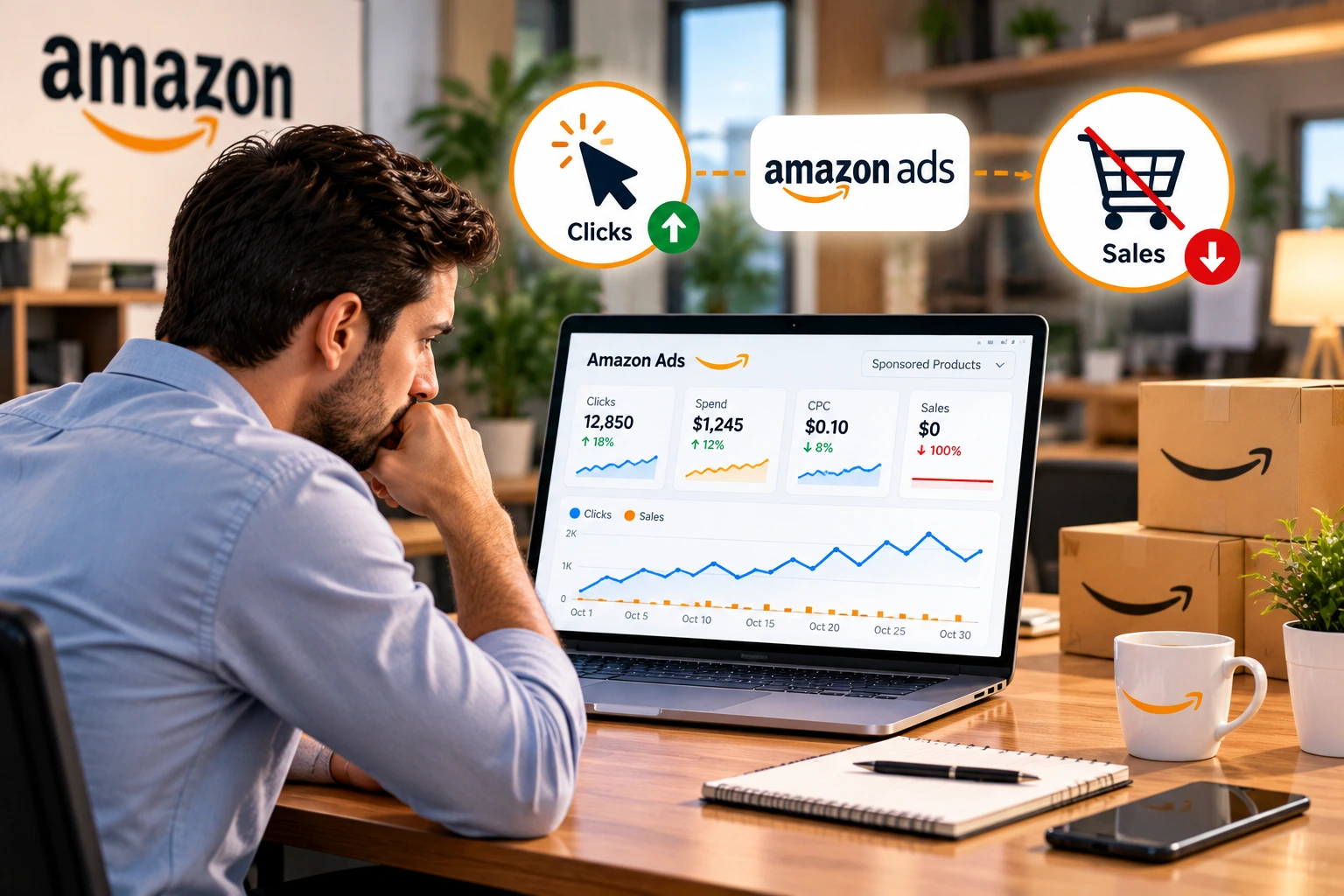
Running Amazon PPC campaigns can help sellers increase product visibility, attract potential customers, and generate sales. However, one of the most frustrating situations for Amazon advertisers is spending money on clicks without receiving orders.
You may notice that your Sponsored Products campaigns are generating impressions, customers are clicking your ads, and your advertising budget is being spent daily. Yet your sales report shows little or no improvement.
This raises an important question: Why are my Amazon PPC ads getting clicks but no sales?
The problem is not always your advertising budget. Poor keyword targeting, weak product listings, uncompetitive pricing, negative customer reviews, and irrelevant search traffic can all contribute to low conversion rates.
For sellers operating on Amazon UAE, USA, UK, Saudi Arabia, and other marketplaces, identifying the actual cause is essential before making campaign changes.
In this comprehensive guide, we explain 10 reasons Amazon PPC campaigns receive clicks but no sales, how to diagnose advertising performance, and the practical steps sellers can take to improve conversion rates and reduce wasted spending.
Why Are Amazon PPC Ads Getting Clicks but No Sales?
Amazon PPC ads may receive clicks without generating sales because the advertising attracts shoppers who are unlikely to buy, or because the advertised product fails to meet customer expectations after they visit its listing.
Common causes include irrelevant search terms, poor listing images, high prices, weak reviews, unsuitable product targeting, and inefficient bidding strategies.
Sponsored Products advertising operates primarily through a cost-per-click model, meaning sellers pay when a shopper clicks an eligible advertisement rather than only when a sale occurs.
Therefore, clicks alone do not demonstrate campaign success.
A successful Amazon PPC strategy must connect relevant advertising traffic with competitive products, informative listings, and a purchasing experience that encourages conversions.
The first step is to determine whether the problem is your targeting, your product detail page, your offer, or the way performance is being measured.
What Are the 10 Main Reasons Amazon PPC Campaigns Get Clicks but No Sales?
Understanding the causes helps sellers prioritize improvements rather than changing campaigns randomly.
1. Your Amazon PPC Keywords Are Not Relevant
One of the most common reasons for wasted advertising spend is targeting keywords that do not accurately match the product.
For example, a seller advertising a premium stainless steel water bottle might target a broad keyword such as “water bottle.”
Although this search term could generate clicks, customers may actually be looking for inexpensive plastic bottles, children’s bottles, or large sports containers.
If your product does not match their expectations, they may leave without purchasing.
How to fix it: Review the Amazon Sponsored Products search term report and identify customer searches generating clicks without satisfactory results.
Prioritize keywords that accurately describe your product’s material, function, size, and intended audience.
Consider testing more specific search terms and reducing investment in consistently irrelevant traffic.
Avoid targeting unrelated high-volume keywords merely to increase impressions.
2. Your Product Listing Is Not Optimized for Conversions
A PPC advertisement brings shoppers to your product detail page, but the listing must persuade them to purchase.
If the title, images, bullet points, and descriptions fail to answer customer questions, advertising traffic may not convert.
For example, a customer searching for a stainless steel kitchen organizer may want to know its dimensions, installation method, material, and weight capacity.
If these details are missing or unclear, the customer may choose another product.
How to fix it: Optimize your product listing with an accurate title, helpful bullet points, relevant specifications, and clear product images.
Use natural search terms while prioritizing customer understanding.
Amazon’s own advertising guidance recommends improving detail page quality, including product titles and imagery, to support advertising effectiveness.
3. Your Product Price Is Higher Than Competitors
Price is an important factor in Amazon purchasing decisions.
When multiple products offer similar features, shoppers often compare price, reviews, delivery promises, and perceived product quality.
If your product is significantly more expensive without a clear value advantage, customers may click your advertisement but purchase from a competitor.
How to fix it: Compare your selling price with genuinely comparable products.
Evaluate differences in material quality, quantity, included components, warranty, packaging, and delivery benefits.
Avoid lowering prices without calculating profit margins.
A competitive offer should provide a convincing reason to purchase, not simply the lowest possible price.
4. Your Product Images Are Not Convincing
Amazon shoppers cannot physically inspect products before purchasing.
Product photography plays an important role in helping customers evaluate appearance, dimensions, functionality, and quality.
A weak main image may attract the wrong expectations, while poor secondary images may fail to communicate essential benefits.
For example, a kitchen storage product may receive clicks because its main image looks attractive, but customers may leave if they cannot understand its actual size.
How to fix it: Use clear, accurate, high-resolution product photography.
Include secondary images that show dimensions, supported features, product components, and appropriate lifestyle usage.
Infographics can help explain verified specifications, provided the images comply with the applicable Amazon listing requirements.
Do not exaggerate product capabilities or display accessories that are not included without clearly distinguishing them.
5. Your Product Has Weak Reviews or Ratings
Customer ratings and reviews can influence whether shoppers feel confident purchasing a product.
A newly launched listing with very few reviews may struggle against established competitors offering similar products.
Negative reviews describing broken components, misleading dimensions, or poor quality can also discourage customers.
How to fix it: Review customer feedback and identify recurring product complaints.
Improve product quality, packaging, instructions, and listing accuracy where necessary.
Use Amazon-approved review request methods and eligible programs such as Amazon Vine when applicable.
Never purchase fake reviews or offer unauthorized incentives for positive feedback.
Advertising improvements cannot fully compensate for serious product quality problems.
6. Your Automatic Campaign Is Attracting Irrelevant Traffic
Amazon Sponsored Products automatic targeting uses information about your advertised product and shopper activity to identify potential advertising opportunities.
Automatic campaigns can help sellers discover relevant searches, but they can also attract traffic that does not match the product’s ideal customers.
Amazon provides automatic targeting options such as close match, loose match, substitutes, and complements.
Their performance can differ substantially.
How to fix it: Review search term and targeting performance at the available level of detail.
Identify irrelevant queries or product placements and consider appropriate negative targeting.
Evaluate the performance of each automatic targeting group separately where possible.
Avoid assuming that every automatic campaign requires identical bids or budgets.
A well-structured automatic campaign can support keyword research, but it should be reviewed regularly.
7. Your Broad Match Keywords Are Too General
Broad match targeting can help sellers discover additional shopping searches, but it may also attract visitors with different purchasing intentions.
For instance, advertising a premium educational toy using a generic keyword such as “toys” could attract customers searching for many unrelated product categories.
This can increase traffic without generating proportional sales.
How to fix it: Use broad targeting strategically for discovery, supported by search term analysis.
Test promising relevant searches through phrase and exact match campaigns where appropriate.
Separate campaign strategies and budgets when this improves control and reporting.
Remember that exact match is not a guarantee of conversion. Product relevance and offer competitiveness still matter.
8. Your Product Offer Is Not Competitive
Customers evaluate more than price when deciding whether to purchase.
Availability, delivery estimates, product variations, quantity, perceived quality, and the purchasing offer can all affect conversion.
A product may receive clicks but lose customers when another seller offers faster delivery, a better bundle, or a more attractive package.
Additionally, eligibility to display an advertising placement does not guarantee that the listing will maintain the same availability or featured offer status indefinitely.
How to fix it: Review the product’s inventory availability, delivery experience, quantity, variations, and relevant offer information.
Check for suppressed listings, incorrect variation relationships, and missing product information.
Compare your offer with competitors providing genuinely similar products.
Address significant purchase barriers before increasing PPC spending.
9. Your PPC Bids and Placement Strategy Are Inefficient
High bids can increase advertising exposure and spending, but they do not guarantee additional sales.
Some placements or targeting groups may generate expensive clicks without sufficient conversion.
For example, a campaign might spend heavily on competitive searches while generating better sales efficiency from more specific keywords.
How to fix it: Compare cost per click, orders, sales, and ROAS across relevant targeting and placement reports.
Review bidding strategies and placement adjustments according to conversion performance.
Reduce exposure to repeatedly inefficient traffic while preserving valuable converting targets.
Do not make large bid changes based only on a few clicks or an incomplete reporting window.
10. You Are Optimizing Before Enough Data Is Available
One overlooked reason for poor PPC decisions is insufficient performance data.
A keyword with five clicks and no sales does not provide the same evidence as a keyword with 100 clicks and no sales.
Similarly, recently generated advertising orders may not yet appear in all reports because attribution and reporting can take time.
How to fix it: Review the appropriate date range and Amazon’s applicable attribution window.
Evaluate performance using click volume, expected conversion rate, advertising spend, and product economics.
Allow enough evidence to accumulate before making irreversible targeting decisions.
Avoid repeatedly pausing and restarting campaigns without a clear reason.
How Do You Identify Which Amazon PPC Problem Is Causing No Sales?
The most effective troubleshooting approach is to compare traffic quality, listing performance, and advertising costs.
The following diagnostic table can help identify which area needs attention.
| PPC Symptom | Possible Cause | Recommended Action |
|---|---|---|
| Many clicks, zero sales | Poor targeting or weak offer | Audit search terms and listings |
| High CPC, few orders | Expensive or inefficient bidding | Review bids and placements |
| High CTR, low conversion | Listing or offer mismatch | Review detail page and price |
| Broad keywords waste budget | Low-intent shopping terms | Refine targets and negatives |
| Sales but poor profitability | High ACOS or low margins | Review contribution margin |
| All campaigns convert poorly | Product, listing or offer issue | Prioritize listing-level audit |
This table provides diagnostic possibilities, not definitive causes. Sellers should confirm the issue using their actual campaign reports and product performance data.
How Many Amazon PPC Clicks Without a Sale Is Too Many?
There is no universal number of clicks that automatically makes a keyword unprofitable.
The appropriate threshold depends on product price, conversion rate, CPC, margin, and advertising objectives.
For example, if a product normally converts 10% of relevant visits, 20 clicks with no orders may justify investigation, but it does not conclusively prove that the keyword is ineffective.
A different product with a 2% conversion rate will naturally require more clicks per expected order.
A practical approach is to evaluate the cost of acquiring an order compared with the contribution margin available.
Do not automatically add every zero-sale search term as a negative keyword after a fixed number of clicks.
Prioritize searches that are clearly irrelevant or have accumulated enough inefficient spend to warrant action.
How Do You Calculate Amazon PPC Conversion Rate?
Amazon PPC conversion performance can be assessed by comparing attributed orders with advertising clicks.
A commonly used diagnostic calculation is:
Advertising Order Conversion Rate = Ad-Attributed Orders ÷ Ad Clicks × 100
For example, if an advertising campaign receives 100 clicks and generates five attributed orders, its order-based conversion rate is 5%.
This calculation is a simplified diagnostic metric. Amazon’s displayed metrics may use different definitions or attribution rules depending on the report.
It should also not be confused with Seller Central’s Unit Session Percentage, which uses ordered units and sessions.
If your conversion rate is low, investigate traffic relevance and the purchase experience.
If conversion is healthy but advertising profitability remains poor, your CPC or product margins may be the more significant problem.
What Is the Difference Between CTR, CPC, ACOS, and ROAS?
Sellers should understand several important Amazon advertising metrics before making optimization decisions.
| Metric | Meaning | Formula |
|---|---|---|
| CTR | Percentage of impressions that generate clicks | Clicks ÷ Impressions × 100 |
| CPC | Average advertising cost per click | Spend ÷ Clicks |
| ACOS | Advertising spend relative to attributed sales | Spend ÷ Ad Sales × 100 |
| ROAS | Attributed sales generated per advertising currency unit spent | Ad Sales ÷ Spend |
| TACOS | Advertising spend relative to total sales | Spend ÷ Total Sales × 100 |
If advertising sales are zero, ACOS cannot be meaningfully calculated because the denominator is zero.
High CTR with low sales may indicate an attractive advertisement but a weak purchase experience.
High CPC with reasonable conversion may point toward an advertising cost problem rather than a listing problem.
Evaluate the metrics together instead of focusing on one indicator.
How Can Negative Keywords Reduce Wasted Amazon PPC Spending?
Negative keyword targeting helps prevent advertisements from appearing against selected shopping queries.
Amazon supports negative targeting options for Sponsored Products campaigns.
For example, if you sell adult winter gloves, searches specifically requesting children’s gloves may be irrelevant.
Adding appropriate negative targets can help reduce unnecessary exposure.
However, a search with no sales is not automatically irrelevant.
Before excluding a term, examine its meaning, historical clicks, spend, conversion performance, and relationship to the advertised product.
Use negative exact targeting for specific searches that should be excluded while retaining related relevant traffic where possible.
Negative phrase targeting can block a broader set of related searches, so apply it carefully.
The objective is not to eliminate all exploratory traffic. It is to reduce advertising spend that is unlikely to support your business goals.
Should You Use Automatic or Manual Campaigns When Ads Are Not Converting?
Automatic and manual Sponsored Products campaigns can both support an effective advertising strategy.
Automatic targeting can help discover customer searches and product placements.
Manual targeting provides more direct control over keyword and product targets.
For sellers struggling with irrelevant advertising traffic, a structured manual campaign can help isolate high-relevance keywords.
Consider separating exact, phrase, and broad targeting into distinct campaigns when doing so provides clearer budget control and performance analysis.
Automatic campaigns can continue supporting discovery, provided their spending is monitored.
Avoid running overlapping discovery campaigns without a clear purpose, particularly when they repeatedly attract the same inefficient search traffic.
There is no universal requirement to use only one campaign type.
The appropriate structure depends on product maturity, available data, budget, and advertising objectives.
Can Better Amazon Product Listings Improve PPC Sales?
Yes. Better product detail pages can help shoppers evaluate products and make purchasing decisions.
Amazon’s advertising guidance emphasizes the importance of accurate titles, helpful descriptions, strong images, and relevant product information.
An optimized listing should address customer questions that may prevent purchases.
For example, a buyer interested in a reusable lunch container may want clear information about material, dimensions, included components, cleaning instructions, and intended use.
If essential details are unavailable, a paid click may not lead to a purchase.
Review the main image, secondary images, title, bullet points, customer reviews, and product attributes.
Eligible brands can also evaluate A+ Content to communicate product benefits in greater detail.
However, no listing improvement guarantees a higher conversion rate. Actual performance should be measured after changes are made.
How Do You Conduct an Amazon PPC Audit for Campaigns With No Sales?
An effective PPC audit should investigate both advertising data and product readiness.
Follow these steps:
- Review campaign performance: Identify campaigns generating clicks and spending without acceptable attributed sales.
- Analyze search terms: Find irrelevant searches, expensive low-performing queries, and potential keyword opportunities.
- Evaluate targeting: Compare automatic targeting groups, keyword match types, and product targets.
- Check advertising costs: Review CPC, bids, budget allocation, and placement performance.
- Inspect product listings: Assess images, pricing, reviews, descriptions, and product availability.
- Review conversion metrics: Compare advertising orders, clicks, attributed sales, and available listing metrics.
- Implement measured changes: Adjust targets, negatives, bids, and listings according to evidence.
- Monitor results: Review subsequent performance over an appropriate period before deciding whether changes worked.
An audit should produce a clear action plan rather than only a report containing advertising metrics.
The objective is to identify where money is being spent inefficiently and which improvements are most likely to matter.
What Should You Do When Amazon PPC Spend Increases but Sales Stay Flat?
If advertising spending rises without proportional sales growth, investigate whether the additional traffic is relevant and whether conversion has declined.
Compare recent campaign performance with earlier periods, accounting for changes in pricing, stock availability, seasonality, and competition.
Review whether additional budget has been directed toward expensive low-performing targets.
If high-performing keywords are losing visibility while broad campaigns consume the budget, reallocating spending may be worth testing.
However, avoid assuming that reducing every bid will improve profitability.
Some valuable search terms may require competitive bids and still generate acceptable contribution margins.
The correct decision depends on product economics and the available evidence.
How Can iNNOVEX Enterprises Help Fix Amazon PPC Campaigns That Are Not Converting?
Managing Amazon advertising requires ongoing analysis of keyword relevance, campaign structure, product listings, and profitability.
At iNNOVEX Enterprises, we support Amazon sellers with PPC campaign evaluation, advertising optimization, and marketplace management services.
Our relevant services include:
- Amazon PPC Audit: Reviewing campaign performance, spending patterns, targeting, and conversion challenges.
- Amazon PPC Management: Ongoing campaign planning, monitoring, optimization, and reporting.
- Sponsored Products Management: Keyword and product targeting, bids, budgets, and negative targeting.
- Amazon PPC Keyword Research: Identifying relevant search terms and evaluating advertising opportunities.
- Amazon PPC Campaign Structure: Organizing campaigns for clearer targeting and budget management.
- Amazon Listing Optimization: Improving product titles, images, descriptions, and listing information.
- Amazon Product Photography: Creating accurate product visuals and informative secondary images.
- Amazon Account Management: Operational support across catalog, advertising, and seller activities.
Our objective is to help sellers identify practical improvements and make advertising decisions using relevant performance data.
Advertising outcomes depend on competition, product suitability, pricing, marketplace conditions, and other factors.
Are your Amazon PPC campaigns getting clicks but not generating sales? Contact iNNOVEX Enterprises to discuss your advertising challenges and Amazon PPC management requirements.
Frequently Asked Questions About Amazon PPC Clicks but No Sales
1. Why am I getting Amazon PPC clicks but no orders?
Common reasons include irrelevant keyword targeting, weak product listings, uncompetitive pricing, poor reviews, and inefficient traffic sources. Review advertising search terms and product detail pages to identify the most likely cause.
2. How many clicks should an Amazon ad get before making a sale?
There is no fixed number. Expected clicks per order depend on the product’s actual conversion rate, traffic relevance, pricing, and marketplace conditions.
3. Should I pause Amazon PPC keywords with no sales?
Pause or reduce inefficient targets when sufficient evidence supports that decision. Do not exclude every keyword after a small number of clicks without reviewing relevance and expected conversion performance.
4. Can Amazon PPC ads generate clicks without sales?
Yes. Sponsored Products primarily use cost-per-click pricing. A seller can incur advertising costs even when a shopper does not purchase the advertised product.
5. Do negative keywords improve Amazon PPC performance?
Negative keywords can help reduce irrelevant advertising exposure and inefficient spending. Their effectiveness depends on selecting suitable exclusions.
6. Is a high Amazon PPC CTR always good?
Not necessarily. A high click-through rate indicates that shoppers are clicking the advertisement, but it does not confirm that traffic is converting or profitable.
7. Can an Amazon listing cause PPC campaigns to fail?
Yes. Poor images, incomplete product information, weak reviews, or uncompetitive offers can reduce purchasing interest after an advertising click.
8. Should I increase bids if my Amazon ads get no sales?
Increasing bids is not usually the first solution. Investigate traffic relevance, listing quality, and existing campaign performance before paying more for clicks.
9. What is a good Amazon PPC conversion rate?
There is no universal benchmark suitable for every product. Compare performance with your own historical data, product category, traffic sources, and profit requirements.
10. Can an Amazon PPC agency guarantee more sales?
No. An agency can analyze campaigns, improve targeting, and recommend optimizations, but sales depend on numerous factors outside the agency’s direct control.
Conclusion: How Can You Turn Amazon PPC Clicks Into Sales?
If your Amazon PPC ads are getting clicks but no sales, the most effective solution is to identify why shoppers are not purchasing before increasing advertising spend.
Irrelevant keywords, weak product listings, unsuitable pricing, poor reviews, and inefficient bidding can all contribute to low conversion rates.
Start by reviewing your search term report, checking product detail pages, evaluating costs, and comparing campaign performance.
Use negative targeting carefully, prioritize relevant search terms, and optimize your offers based on actual customer needs.
Amazon advertising works best when relevant targeting is combined with a competitive product and an informative shopping experience.
For sellers managing several products or marketplaces, a structured advertising audit can help identify practical improvements and reduce avoidable spending.
Need support with Amazon PPC optimization? Explore professional advertising and account management services at iNNOVEX Enterprises.
Official Sources and References
- Amazon Ads – Sponsored Products Targeting Guide
- Amazon Ads – Sponsored Products Search Term Reports
- Amazon Ads – Product Detail Page Optimization
- Amazon Ads – Advertising Optimization Guidance
- Amazon Ads – Advertising Console and Reporting
Disclaimer: This article provides general Amazon advertising information as of October 2026. Campaign features, reporting definitions, attribution windows, and advertising policies may vary by marketplace and change over time. Examples are illustrative and do not guarantee sales or advertising performance.